
Instagram guide · Verified Oct 2026
Instagram Story size and safe zones
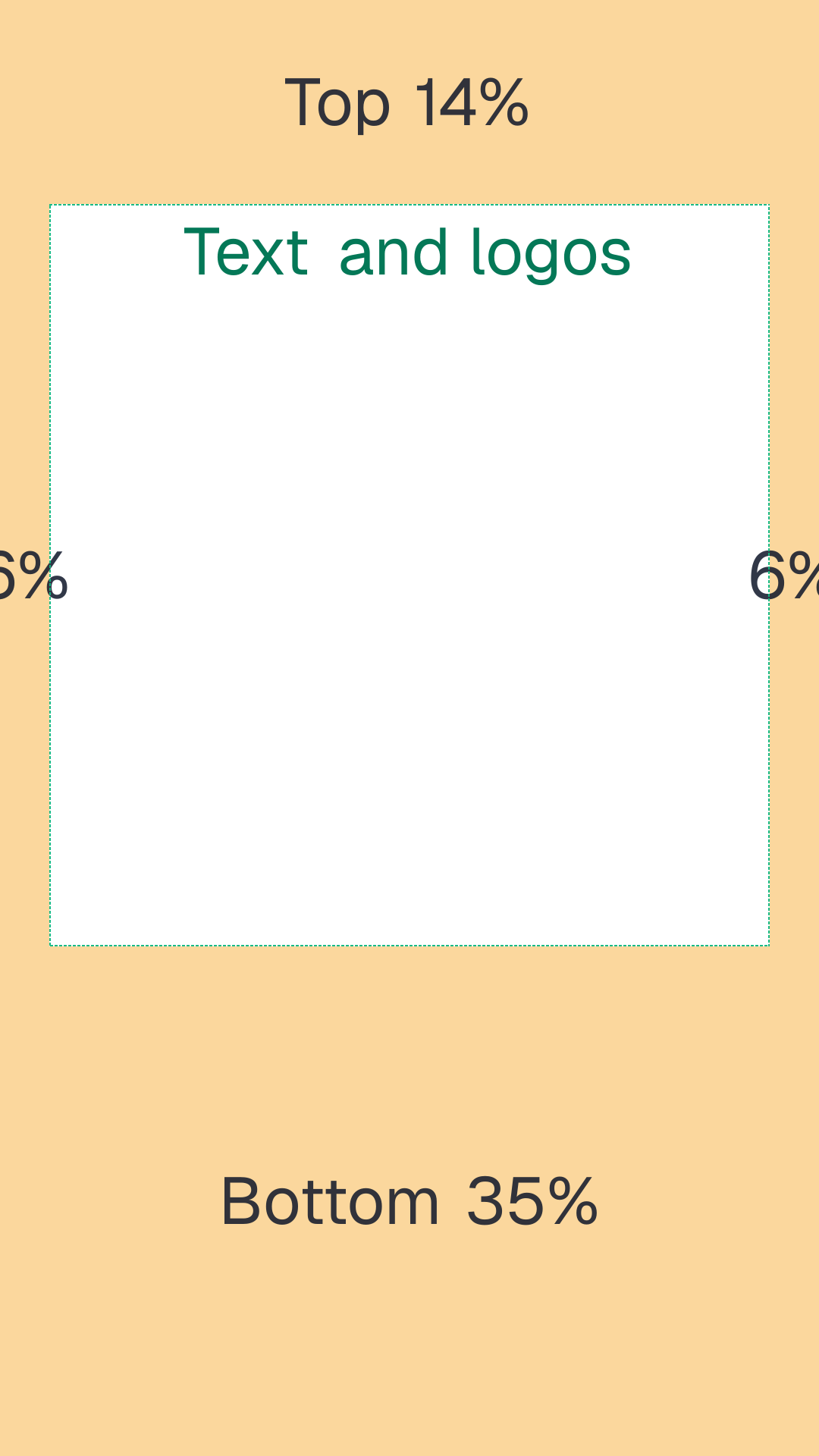
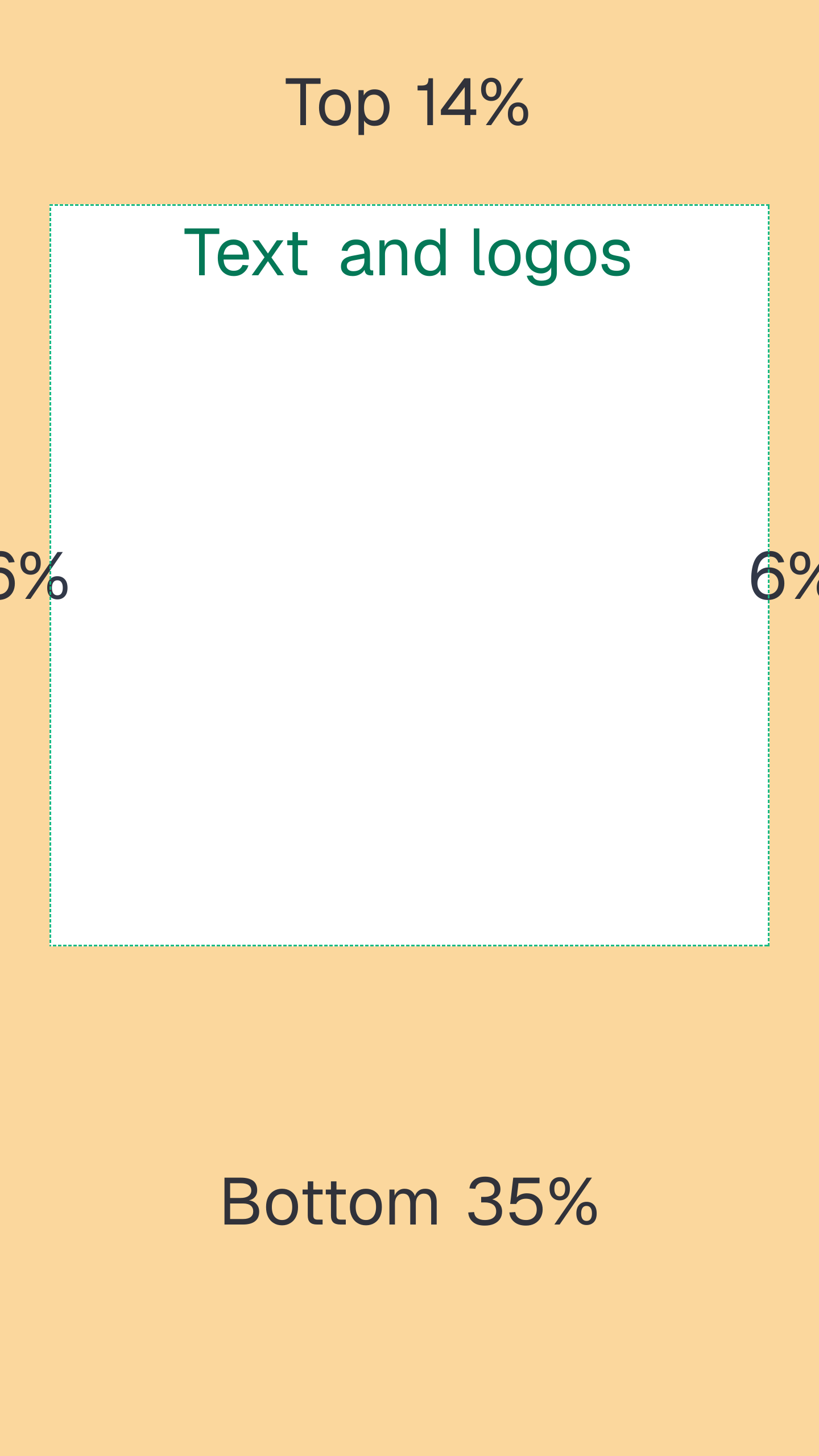
An Instagram Story is 1080 × 1920 px (9:16). For Story ads Meta recommends 1440 × 2560, JPG or PNG up to 30 MB. Keep text and logos out of the top 14% (269 px), the bottom 35% (672 px) and 6% (65 px) on each side. Instagram profiles have no header image, so this frame is where most of your visual work goes.
By Ian MacCallum · Checked on
Does Instagram have a header?
No. On X, LinkedIn and YouTube the top of a profile is a wide banner. On Instagram it is a stack of small pieces: a round profile photo, your name and bio, the Follow and Message buttons, and a row of story highlight circles. Your grid of posts starts right below. There is no upload slot for a wide image, so you design three things instead:
- The profile photo, shown as a small circle. Use a square image with the subject centred and nothing near the corners.
- Highlight covers, the circles under the bio. They are cut from Story-shaped artwork, so keep each icon inside a centred circle on a 1080 × 1920 canvas.
- Stories, the full-screen 9:16 frames covered on the rest of this page.
Instagram Story size
| Spec | Organic Story | Story ad (Meta Ads Guide) |
|---|---|---|
| Size | 1080 × 1920 px | 1440 × 2560 px recommended |
| Ratio | 9:16 | 9:16, 1% tolerance |
| Minimum | 1080 px wide to avoid upscaling | 500 px wide |
| Image file | JPG or PNG | JPG or PNG, up to 30 MB |
| Text margins | Keep clear of the top and bottom UI | 14% top, 35% bottom, 6% each side |
Story safe zone in pixels
Instagram draws its own interface over a Story: the progress bar, account name and close button along the top, and the reply bar and share controls along the bottom. Ads add a Sponsored label and a call to action at the bottom. Meta's ad guidance converts to these pixel margins (our arithmetic):
| Margin | Share | 1080 × 1920 | 1440 × 2560 |
|---|---|---|---|
| Top | 14% | 269 px | 358 px |
| Bottom | 35% | 672 px | 896 px |
| Each side | 6% | 65 px | 86 px |
| Safe box | 950 × 979 px | 1268 × 1306 px |
For an organic Story with no ad CTA the bottom margin can be smaller, but the reply bar and sticker taps still live there. The 35% rule is the conservative choice when one design runs as both a post and an ad.
Free safe-zone template
Transparent PNG overlays with the zones from this guide: red is cropped on some screens, amber is covered by the app, and the dashed green box is where text belongs. In Canva or Figma, set the canvas to the same size, drop the PNG in as the top layer at about 30% opacity, and hide it before you export. No signup.
Why guides disagree on the safe zone
Search for an Instagram Story safe zone and you will find 155, 220, 250 and 340 px all quoted as the top or bottom margin. They are each measured on one phone, for one kind of Story, at one point in time. Meta's percentages are the only figures published by Meta, and they are written for ads, which carry the most interface. Design to them and the organic version is covered too.
How different phones frame a Story
A 9:16 Story does not fit every screen exactly, so where the interface lands depends on the phone. The figures below are screen arithmetic, not Instagram documentation; the free checker renders your own Story on each phone profile we model and names the zone that covers your text.
iPhone 16 Pro
The screen is 402 × 874 points, taller than 9:16. A Story drawn at full width is about 715 points tall, which leaves room above and below it. That is why the progress bar and reply bar can sit partly outside the picture on tall phones, and why a design that looks clear here can still collide with the interface on a shorter screen.
iPhone SE
The screen is 375 × 667 points, almost exactly 9:16, so the Story fills it and every piece of interface is drawn on top of the picture. Treat the SE as the worst case: if your text clears the top and bottom bars here, it clears them on taller phones.
Story vs Reels vs feed
| Format | Design at | Note |
|---|---|---|
| Story | 1080 × 1920 (9:16) | Top and bottom bars cover the edges |
| Reel | 1080 × 1920 (9:16) | Caption and buttons cover the bottom and right edge |
| Feed, portrait | 1080 × 1350 (4:5) | Tallest shape the feed shows without cropping |
| Feed, square | 1080 × 1080 (1:1) | The shape the profile grid was built on |
Troubleshooting
- Blurry Story: the file is under 1080 px wide or not 9:16, so Instagram scales or zooms it. Export at 1080 × 1920 or 1440 × 2560 from the source.
- A 4:5 photo in a Story: place it on a 1080 × 1920 canvas with your own background instead of letting Instagram zoom it.
- Text cut off: it sits in the top 269 px or bottom 672 px. Move it into the 950 × 979 px safe box.
- Ad CTA covering text: the call to action sits in the bottom 35%. Nothing that has to be read should be there.
Check your Story on real phone profiles
The diagram shows the rule; your file shows whether you followed it. The free Story checker renders your image on each phone profile, marks the progress bar, reply bar and other interface, and tells you which of them covers your text. No signup.
Same 9:16 frame on another app? The TikTok guide covers the caption and button overlays there, and the header size directory lists every platform that does have a banner.
Story ad sizes and margins were read from the Meta Ads Guide: Instagram Stories on 2026-10-21. Pixel conversions and screen arithmetic are Better Header's.
Frequently asked questions
- What size is an Instagram Story?
- 1080 × 1920 pixels, a 9:16 frame. For Story ads Meta recommends 1440 × 2560, with a minimum width of 500 px.
- What aspect ratio is an Instagram Story?
- 9:16. Meta's ad specs allow a 1% tolerance, so a file has to be very close to 9:16 to fill the screen without bars or a crop.
- What is the best resolution for an Instagram Story ad?
- Meta recommends 1440 × 2560 (9:16), JPG or PNG, up to 30 MB. 1080 × 1920 is the same shape and works too.
- Where is the safe zone for text on Instagram Stories?
- Meta's ad guidance is to keep about 14% at the top, 35% at the bottom and 6% on each side free of text and logos. On a 1080 × 1920 frame that is 269 px at the top, 672 px at the bottom and 65 px on each side.
- Why does my Instagram Story look blurry?
- Usually the file is narrower than 1080 px or is not 9:16, so Instagram scales it up or zooms it to fill the screen. Export at 1080 × 1920 or larger, in 9:16, from the source file.
- Can I post a 1080 × 1350 photo as a Story?
- Yes, but a 4:5 photo does not fill a 9:16 Story. Instagram either places it on a background or you zoom it to fill, which crops the sides. Put it on a 1080 × 1920 canvas yourself to control the result.
- Are Stories and Reels the same size?
- Both are full-screen 9:16 frames, designed at 1080 × 1920. Reels draw more interface down the right edge and across the bottom, so keep text further in.
- Does Instagram have a header or banner?
- No. An Instagram profile has no banner or cover image. The top of the profile is a round profile photo, your name and bio, buttons and the story highlights row.
Check your Story free
Upload your banner and see what every phone, tablet and desktop crops, in your browser.
Free preview. No signup. No card.
Need fix coordinates and a saved report? Full audit, $3
Token back within 30 days if the audit finds no device issue.